
How to Register
📋 Item to prepare for registration
Foreigner
📋 Required Documents:
• Residence Card (Zairyu Card)
• My Number Card
💳 Document Examples

Residence Card
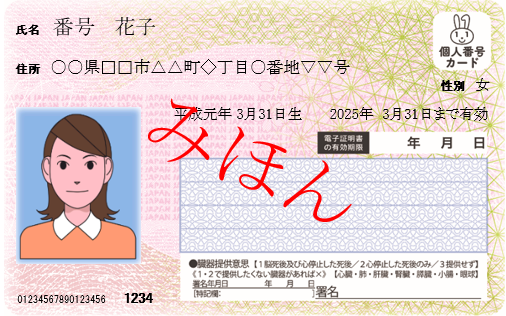
My Number Card

Japanese
📋 Required Documents:
• My Number Card
💳 Document Example
My Number Card
📝 Steps to register
Step 1
How to register account
Launch the QSRemit App

• Please tap the Join button.

• Please tap the Create Account button.
📱 App Download : Search for 'QSRemit' in the Google Play Store / Apple App Store
Enter Account Information and Phone Verification

• Please enter your personal information.

• Please tap the Send Code button,
then enter the 6-digit code received via message.
⚠️ If you don't receive the verification text within 5 minutes, please contact the Call Center.
Agree Terms & Enter the Referer

• Please check the box to agree to all terms and conditions.

• If you have a referrer, please enter the referrer's phone number. If you do not have one, please tap the "Maybe Later" button.
💡 Referer's Phone Number can be omitted.
Enter PIN Number and Complete Registration

• Please set your transfer PIN.

• Please re-enter your transfer PIN.

• Registration completed. Proceed to Step 2 next.
⚠️ You can reset your PIN Number after logging in.
Step 2
How to verify identity
Proceed with KYC after login

• Please tap the KYC verification button.

• Enter your email address and the password you set, then tap the Log In button.

• If you are a foreign resident, please tap the Foreigner button.
✅ KYC is mandatory for remittances.
✅ Verification available time: Weekdays 09:00~18:00 (excluding lunch 12:00~13:00)
ID Photo Capture

• Please take a photo of the front side of your Residence Card.

• Please take a photo of the back side of your Residence Card.

• Please take a photo of the side of your Residence Card.
⚠️ All information on the ID must be clearly visible.
Liveness Authentication

• Please take a selfie while holding your Residence Card.
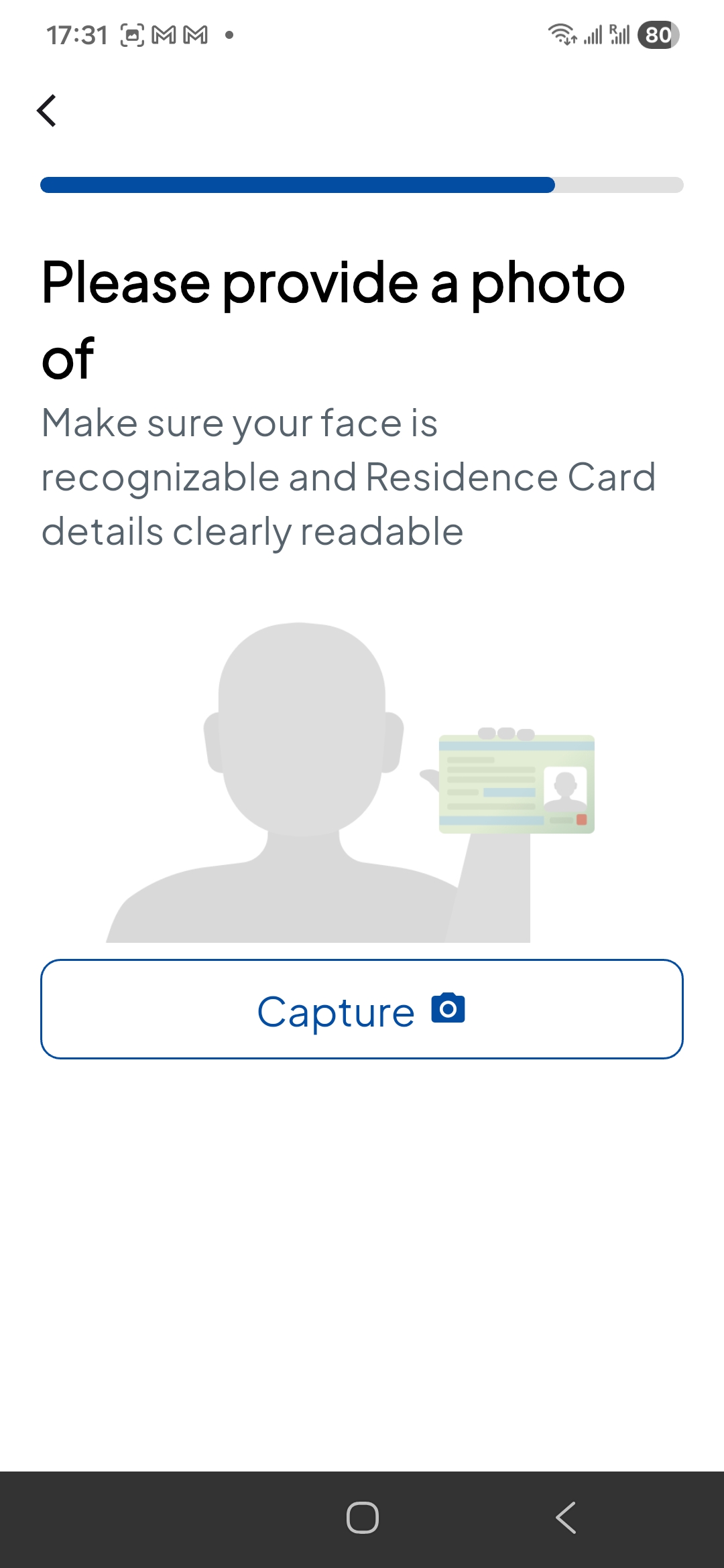
• Please take a photo of the front side of your My number Card.
💡 The entire face and ID information must be clearly visible.
KYC Completed

• Please enter your nationality and address.

• KYC registration has been completed.
💡 Now you can send money quickly and easily.
🎥 Video Guide
🎥 Video Guide
⚠️ Key Precautions for Registration
- 📌 Account Verification: Registration is only possible with your own name's mobile phone and bank account.
- 📌 ID Validity Period: Expired IDs cannot be verified.
- 📌 Foreigner registration: Foreigners can register using Registration Card or passport (limited to residents in Japan).
- 📌 Approval Time: Approval completed within 1-2 hours on business days after signup application.
- 📌 Additional Documents: Additional documents may be required in some cases.
Register Now!
Register now and send money worldwide quickly and cheaply in just 3 minutes!
Call Center: 03-5937-6321 | support@qsremit.net