
Master QSRemit overseas transfers
in 3 minutes
Easy and fast beneficiary management and remittance system.
Send Money
Select Currency and Payout Type

• First, tap the Currency button to select the remittance country.

• Once you select the destination country, you can choose the remittance method.

• Select Payout Type
Enter transfer amount

• Enter the sending or receiving amount, then tap the Send Money button.

• Confirm the amount, then tap Send to enter Beneficiary information.
💡 The amount is calculated using real-time exchange rates.
Input Beneficiary Information

• Enter the recipient's information, then tap Next.

• Review the recipient's information, then tap Confirm.

• Transaction Completed
⚠️ Beneficiary information can be managed separately.
Add Beneficiary
Go to the Beneficiary management screen.

• Tap Beneficiary.

• Tap Add Beneficiary
💡 You can also enter it in Send Money.
Enter Beneficiary information.

• Enter the beneficiary information, then tap Add Beneficiary.
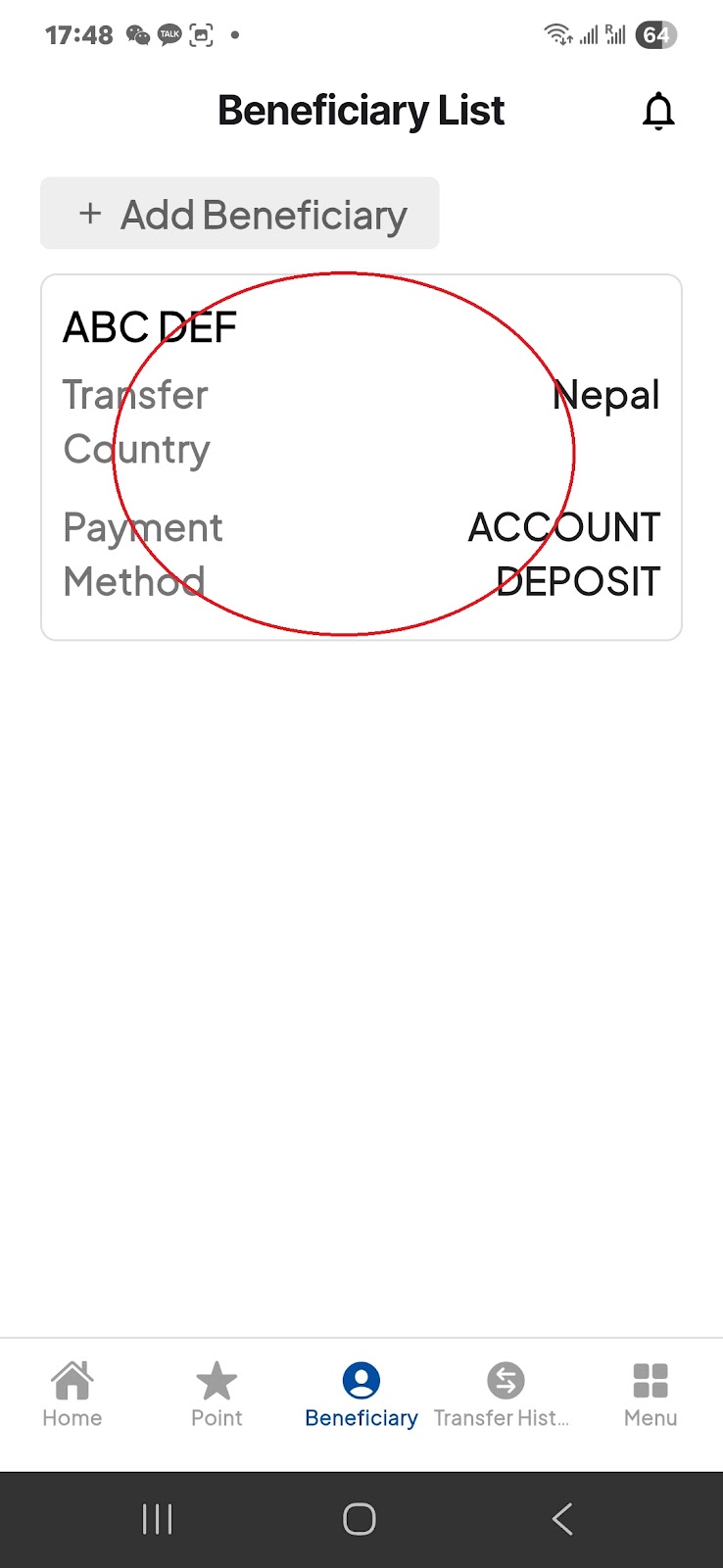
• Beneficiary added successfully.
💡 If you have multiple beneficiaries, you can easily manage them from this screen.